

DJ.Studio, field manual
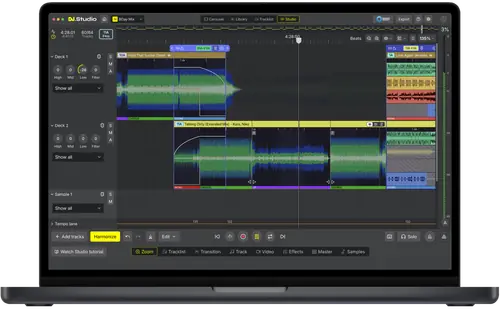
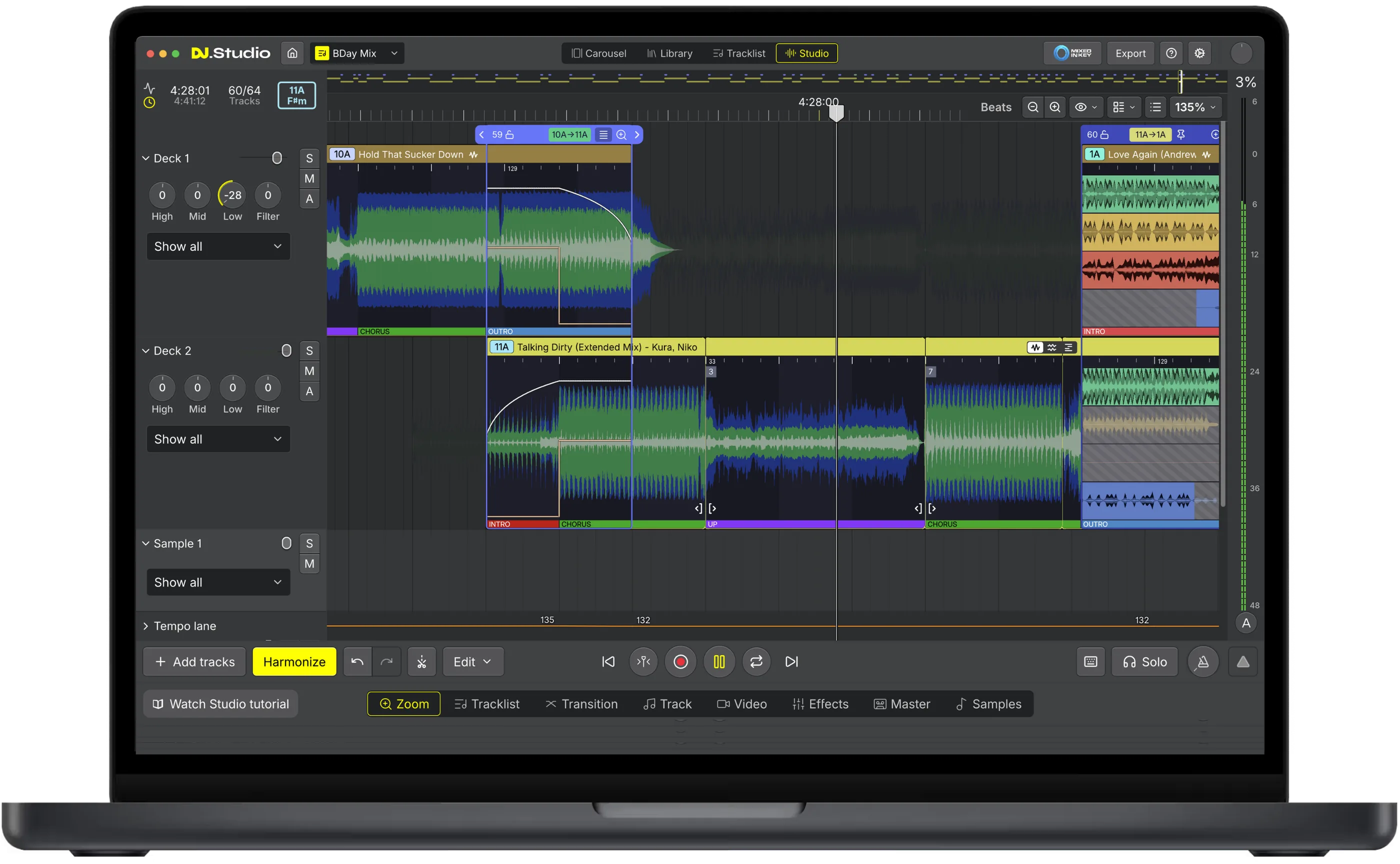
Booth briefing. DJ.Studio, from DJ.Studio B.V. in Leeuwarden, is software for building a DJ mix on a timeline. It puts your tracks in order by tempo and key, then lets you shape each transition before anyone hears the mix. From version 5.0 it also detects the phrases in each track, such as intros, choruses, buildups and drops, and starts each transition where one track's ending meets the next track's intro. Use it for a radio show, a podcast, a mashup, or a video set. It reads your library in rekordbox, Serato DJ Pro, TRAKTOR PRO, VirtualDJ or Engine DJ and sends the finished set back to them, or out as audio or video.
The story: DJ.Studio, the history
Fast Lane
DJ.Studio: software profile
A timeline DAW for preparing, editing and exporting DJ mixes.
- Runs on
- Windows 10 or later; macOS Sonoma 14 (Apple Silicon) or Monterey 12.7.6 (Intel) to Tahoe. 8 GB of RAM, 16 GB for video and stems. What it needs to run
- Reads your library from
- rekordbox, Serato, TRAKTOR, VirtualDJ, Engine DJ, Mixed In Key, iTunes and plain files. What it is, and what it leaves to other software
- What you build with it
- Mixes for radio, podcasts and streaming; mashups and edits with stems; video sets. Making a mashup, or your own edit
- What comes out
- Audio, video up to 4K, an Ableton Live project, playlists, or a DJ set for six DJ programs. Where the mix ends up
- Playing live
- No: preparation and export only. What it is, and what it leaves to other software
- What it costs to keep
- One-time perpetual licences for two machines; monthly only for Pro + Stems. What the licence buys
The five things that decide your pick
DJ.Studio in five points, each linked to its section.
It is for building a mix, not playing one
You play the result in another DJ program.
It splits tracks apart, so you can build your own
Stems turn it into a mashup and edit tool.
It reads the library you already have
Playlists arrive in the order you keep them.
The mix leaves as audio, video, a playlist, or a library
Six DJ programs take a DJ Set export.
What it will not carry across
Stem edits inside a transition stay behind.
Official software video
Note: This feature requires an internet connection.
Understanding the software
What it is, and what it leaves to other software
In their words. DJ.Studio's own front page sells it as software for "Mashups, radio shows, video mixes, and live sets", built on one idea: "Every transition sits on the timeline, so you can hear it, move it, and perfect it till you love it." Their FAQ describes it as "a timeline-based DAW for DJs on Mac and Windows" where "you drop in tracks, it orders them by tempo and key, and you edit every transition on a timeline before exporting the finished mix as audio or video."
Its own description. DJ.Studio describe themselves in their own hardware guide as a "timeline-based preparation, mix-construction, editing, and export environment rather than live deck software". It "does not directly control the controller, CDJ, mixer, or standalone unit used during a performance", and the DJ software you play with stays responsible for talking to the hardware.
What it can read. It reads the local libraries of rekordbox, Serato, TRAKTOR, VirtualDJ, Engine DJ and Mixed In Key, and since 5.0 it can create and edit playlists in them too. That is library access, and DJ.Studio say so; it is not hardware control. DJ.Studio's FAQ answers the hardware question directly: "DJ.Studio runs entirely on your laptop, with no controller or extra hardware required."
How the order is made. The ordering is automatic and is the feature they lead with. Harmonize sorts a playlist by tempo and by harmonic matching derived from the Camelot wheel, so the running order arrives before any transition is touched. A Mixed In Key module adds that program's energy levels and cue points for anyone who already uses it.
Playing live. DJ.Studio answer the live question themselves, and the answer is no: "DJ.Studio is for building and exporting mixes, not for playing live. Many users prepare sets in DJ.Studio and perform them in rekordbox, Serato or Traktor." A mix made here is played by something else, which is why the sections below are about the files that leave it.
Making a mashup, or your own edit of a track
Its own words. DJ.Studio splits a track into its parts, and that is what turns it into a mashup tool. Their own words for what you build with it: "mashups, teases, mini-mixes, elaborate extended edits, and remixes". Drop the drums and bass out of one track and ride the vocal from another, fly an acapella over a different instrumental, or keep an instrumental on its own as a clean bed for an MC or a live player.
Why the timeline matters. The work is not played in, it is drawn. Every element sits on a non-destructive timeline, so you stretch a breakdown, loop a hook, move a vocal a bar earlier, listen, change your mind, and export once at the end. Nothing is recorded in real time and nothing is committed until the export, which is the whole difference between this and performing an edit live and hoping.
The transition is the edit. A transition here is an edit, not a crossfade. Inside one you can shape EQ, filters, effects, samples and stems together, which is how a mashup of two tracks in different keys or genres is made to sound deliberate rather than stitched.
Getting it out. The finished edit leaves as an audio file, as a video, or as an Ableton Live project if you want to keep working on it in a full DAW. Playing your own edit in your own set is one thing; releasing it is a music rights question, and that one is settled with the rights holders rather than with any software.
Making a video set, from the same timeline
The engine. The same timeline makes the video. DJ.Studio describe an audio-reactive video engine that turns a mix into a show: visuals that move with the beat, the album art and the track title on screen as each record comes in, and a style you design once and then apply to the whole set. No separate video editor in the chain.
What comes out. Video exports up to 4K, and in portrait as well as landscape, so the same set can go to a feed that wants a tall frame.
The description writes itself. DJ.Studio generate a YouTube description file carrying the full tracklist with a timestamp against every track, which is what YouTube turns into chapter markers, so a viewer can jump to a record and every artist in the set is credited by name in the text under it.
Why they built it. Their own reason for building it is a working one: an hour of audio with a still image behind it disappears in a feed. A set with visuals that move and chapters a viewer can skip through behaves like a show instead of background.
What the licence buys
The kinds of licence. DJ.Studio sell Studio, Pro, Pro + Stems and Ultimate as one-time perpetual licences, and a monthly subscription is available only for Pro + Stems. A perpetual licence includes 12 months of major updates and support. After that you keep your version and still receive smaller updates for that major version, including bug fixes and security updates, and renewing is optional.
Machines and mixes. A perpetual licence covers two machines at the same time, and one-time licences carry a 14-day money-back guarantee. Mixes are stored in the dj.studio folder inside your music folder, so moving to another machine means copying that folder.
The trial. The trial lasts 7 days, ends automatically, does not convert to a subscription and needs no payment method.
Activation. A licence bought on the website arrives as a one-time code by email, entered once in Settings > Billing. It is tied to the email address and sign-in provider you used: signing in with the same email through a different provider creates a new, empty account. Mixes are not shared between computers, so a new machine means backing up and restoring projects by hand.
What it needs to run
Operating systems. The system requirements article lists Windows 10 or higher with the Microsoft Visual C++ Redistributable installed, macOS 14 Sonoma up to macOS Tahoe on Apple Silicon, and macOS Monterey 12.7.6 up to macOS Tahoe on Intel.
Processor, memory and graphics. The minimum is an Intel i7 or an AMD processor newer than 2017, 8 GB of RAM ("16 GB or more for stem separation and video"), 4 GB of free space and a display of 1280 x 768 or larger. Recommended is 16 GB or more, an SSD on Windows, an Apple Silicon M-series Pro chip on a Mac and an NVIDIA GPU with CUDA support on Windows.
Stem separation. Stem separation depends on the machine. On an Apple Silicon Mac the GPU runs stem separation at about 6x to 30x realtime, an NVIDIA GPU with CUDA on Windows at 6x to 80x, and the processor alone at 0.5x to 2x. Since version 4.1 there is a faster preview mode for slower machines. Linux, Chromebooks, iPads, Android tablets and phones are not supported for making mixes, and the browser version was discontinued in early 2025.
Files and internet. The audio file types are ALAC, FLAC, WAV, AIFF, MP3 and AAC. The internet is needed to download and install DJ.Studio and to create an account.
Compatibility
Exporting to rekordbox, and what carries over
The procedure. In DJ.Studio the rekordbox export sits under Export, DJ Set, rekordbox. You choose what to include (hot cues, track edits, BPM changes, samples, transition effects, effect blocks) and click Export. DJ.Studio then creates a rekordbox playlist named after the project, copies the audio files, adds transition hot cues and renders the selected edits into the audio. Close and reopen rekordbox if it was running.
Cues and edits. The first track gets five hot cues, A to E, and each following track gets eight, A to H, placed around each transition. Samples, BPM changes, transition effects and effect blocks need DJ.Studio 4.2 or later. Stem edits made inside a transition are not exported.
The beatgrid. DJ.Studio's beatgrid is exported to rekordbox and preserved as long as you do not re-analyse the tracks there. The article says not to re-analyse BPM and grid in rekordbox, and to disable Auto Cue generation before analysing.
Getting the mix onto a USB stick
Where it fails. The same article says USB export from rekordbox can fail with DJ.Studio beatgrids, because recent rekordbox versions reject them with the message "[4] Track analysis data is corrupted or doesn't exist." The workaround is to re-analyse in rekordbox, which swaps in rekordbox's own grid and keeps the playlist order, hot cues and rendered edits.
What the deck needs. DJ.Studio say the CDJ or XDJ reads the rekordbox-prepared library, not the DJ.Studio project. Without rekordbox analysis tracks can still play, but loading is much slower and instant waveforms, accurate beatgrids and performance data are unavailable. Their simpler option: export the finished mix as MP3 or WAV and copy that file to the drive.
Player by player. DJ.Studio's article covers rekordbox. Which file system each player reads, and which library format it needs, is on that player's own equipment page.
Other DJ software, playlists and audio files
Everything one timeline can become. One timeline, many outputs: MP3 at 320 kbps, WAV or FLAC, 4K video, a playlist for the program you play on, an Ableton Live project with the automation intact, or straight to Mixcloud.
Faster than real time. And it is not a recording. DJ.Studio put the difference plainly: most DJ software records a mix in real time, so an hour of mix takes an hour and a mistake at minute 58 costs you the hour. Here the export is a render, and a mistake at minute 58 costs you minute 58.
The destinations. The DJ Set export lists rekordbox, Serato DJ Pro, VirtualDJ, djay Pro, Engine DJ, which runs on Denon DJ and Numark hardware, and TRAKTOR PRO. Every DJ Set export carries the playlist order and transition hot cues, plus DJ.Studio's beatgrid where the DJ software supports it. The playlist formats are M3U8, M3U, TXT and CSV.
The generic playlist. The M3U8 export references the original files and excludes hot cues, beatgrids and rendered edits.
Audio files and backups. The audio export formats are MP3 at 320 kbps, WAV and FLAC, and splitting the mix into separate files is available only for WAV or FLAC. A Mixcloud upload straight from the app needs a mix at least 18 minutes long. A backup is a .djs project file that any DJ.Studio installation can import.
What to watch for
Playing with no internet
What the article says. Offline use works after you have installed and authorised the application on the internet for the first time. The article gives no time limit. Online features such as Beatport and 1001Tracklists searches are not available offline. Their own test is to sign in once, turn off Wi-Fi, restart DJ.Studio and check it still works.
Before the gig. Run that test on the machine you will carry, not only on the one at home.
Version 5.0, and what it changes in existing projects
What 5.0 is. DJ.Studio 5.0 was released on 11 November 2026. Large parts of the app are redesigned, with a light and dark mode and an adjustable interface scale, but the functionality from version 4 is still there. Anyone within the 12 months of updates on their licence gets 5.0 included. DJ.Studio advise backing up each project first with Export > Backup.
What is new.
- Song structure. DJ.Studio now detects phrases itself (intros, verses, choruses, buildups and drops), and Harmonize uses them to place each transition where one track's ending overlaps the next track's intro. A set can also be ordered by descending tempo.
- Smart Beatgrid. The grid adapts to each track, including tracks with a drifting tempo.
- Library. Create and edit playlists in rekordbox, Serato, TRAKTOR, Engine DJ, VirtualDJ and Mixed In Key from inside DJ.Studio, plus Smart Playlists and watch folders.
- Mashups. Up to 10 sample lanes, and the Input Lane for recording a voice-over or other live input now works in mashup projects too.
- Export. Engine DJ and TRAKTOR PRO now take DJ Set exports. Exports to VirtualDJ now carry the full tempo curve of the mix. DJ.Studio's help centre adds that the rebuilt audio engine exports up to three times faster than 4.x.
- Workflow. Improved key detection, RGB waveforms when you zoom in, markers on the timeline, and Universal Search across projects, tracks and settings.
What works differently.
- The Playlist tab is now called Tracklist, and "Import local files" is now "Add to library".
- You no longer choose a beatgrid type; the Smart Beatgrid replaces that choice. The help centre still shows a Fixed option beside Smart on the Track tab, for a track that needs one constant tempo.
- DJ.Studio's own phrase detection is on by default. rekordbox phrases can be used instead via Settings > Interface > Phrases.
- Mixed In Key energy segments are off by default. Turn them back on via Settings > Libraries > Mixed In Key > Settings.
- Studio lanes now scroll; hold Cmd or Ctrl while scrolling to zoom. The old behaviour is under Settings > Interface > Studio scrolling.
Before a set goes out. Tracks added before 5.0 keep their old grid until they are analysed again, so re-analyse an older mix, check the transitions against the new phrases, and listen through it once before you export it.
Reporting a fault
What to send. To report a fault DJ.Studio ask for a screenshot, a mix backup (Export, Backup, which makes a .DJS file) and the log file, sent from Help, Send Log File immediately after the fault. Their instruction is "Do not restart DJ.Studio!"
Where this page came from
Our sources. Written by working DJs from our own experience in the booth, and checked against DJ.Studio's official sources: its help centre, product pages and hardware compatibility guide, and its 5.0 release notes. DJ.Studio's documentation lives online, so the links below go straight to the current pages.
- dj.studio · the product itself
- help.dj.studio · the help centre, article by article
- Welcome to DJ.Studio 5.0 · what the 5.0 release changed
- dj.studio/stems · stem separation
- dj.studio/music-videos · the video engine
- dj.studio/export · every export format
- dj.studio/system-requirements · what it runs on
Keep the Emergency Card
We will email you the printable PDF so it is on your phone before the next dark booth. Occasional notes that save gigs. No spam, unsubscribe in one click.
Register and receive itRegistering is free and counts everywhere on Save My Gig. We send a confirmation email first. Your address is stored with Brevo, our email provider. Unsubscribe any time. Privacy
Other DJ software
Commonly used with
It supports no controllers and needs none: you build the mix with a keyboard and a mouse, then play it on something else.
Sources: DJ.Studio's own help centre articles and hardware compatibility guide, read on 11 November 2026. Specifications theirs, priorities ours.